

Harnessing AI for Enhanced E-Commerce Operations and Content Management

Explore the integration of AI in e-commerce, enhancing operational efficiency and content management. Discover how AI-driven tools improve sales insights and streamline product entry.
Building Tanui Commerce
A detailed walkthrough of my multi-store Laravel e-commerce portfolio project, with live demos, storefronts, admin tools, AI assistants, and Kenya-focused analytics

Tanui Kipngetich Sila
October 31, 2026 • 22 min read
Most portfolio e-commerce demos show one shop, a few products, and a fake checkout button. That is useful, but it does not show how a real multi-brand commerce system is structured.
Tanui Commerce is my answer to that gap. It is a full Laravel application with four branded storefronts, one shared MySQL database, one administration dashboard, simulated checkout, product variants, search, wishlists, lookbooks, news, analytics, PDF reports, and AI assistants for both shoppers and admins.
Everything is designed as a demonstration. There are no real card payments, no transactional email blasts, and no product deliveries. The goal is to show architecture, product thinking, interface craft, and AI integration in a way that recruiters, clients, and fellow engineers can click through.
This post explains what the project is, how it is built, what you can explore live, and why each major feature exists.

What Tanui Commerce Is
Tanui Commerce is a multi-store e-commerce portfolio project built with Laravel 12, PHP 8.2+, Bootstrap 5, Blade templates, MySQL, Chart.js, Leaflet, DomPDF, and the OpenAI API.
One application hosts four shops:
- Tanui Fashion for clothing, footwear, and accessories
- Tanui Electronics for phones, computers, audio, and gadgets
- Tanui Home for furniture and living-space products
- Tanui Market for grocery and everyday essentials
Each store has its own catalogue, branding colours, banners, categories, brands, coupons, news posts, and checkout flow. The administration panel sits above all four stores and lets an operator manage products, inventory, orders, customers, analytics, reports, and settings from one place.
Important: This is a demonstration. Checkout creates demo orders only. Card fields are rejected. Orders are marked as demonstration records with payment status set to not processed.
Quick Links
Use these links while you read. They open the live hosted build under my domain.
- Project hub
- Fashion storefront
- Electronics storefront
- Home storefront
- Market storefront
- Admin dashboard
- Source code on GitHub
The Architecture In Simple Terms
Think of the system as one Laravel app with a store context on almost every request.
Visitor
   |
   v
Platform hub  (/commerce)
   |
   +--> Storefront routes  /store/{store}/...
   |         |
   |         +-- Fashion / Electronics / Home / Market
   |         +-- Catalogue, cart, checkout, AI chat, news
   |
   +--> Admin routes  /admin/...
             |
             +-- Products, orders, analytics, reports, AI assist
             |
             v
          MySQL (shared, store_id scoped)
The URL contains the store slug, for example /store/fashion. Middleware resolves that slug into a Store model. Controllers and queries then filter products, orders, coupons, and content by store_id. That keeps catalogues separate while still sharing one codebase and one database.
This is the same pattern many real multi-tenant commerce systems use at a small scale. The portfolio version keeps the idea clear without enterprise complexity.
The Four Stores
Each store is themed with its own CSS variables, logo treatment, merchandising tone, and sample catalogue. Prices use Kenyan Shillings (KES) to keep the demonstration grounded in a Kenya-facing context.
1. Tanui Fashion
Editorial clothing, footwear, and accessories with size and colour variants. The visual language is sharp and architectural, with Outfit and Manrope typography and a deep red accent.
Open Tanui Fashion · Browse the shop · Open the lookbook

2. Tanui Electronics
Phones, computers, audio, and accessories with clearer specification tables and compare flows. The accent shifts to a cool blue, which helps visitors feel the brand change instantly.
Open Tanui Electronics · Product compare


3. Tanui Home
Furniture and home goods with larger lifestyle imagery. The merchandising pages emphasise rooms and materials rather than fashion editorial grids.


4. Tanui Market
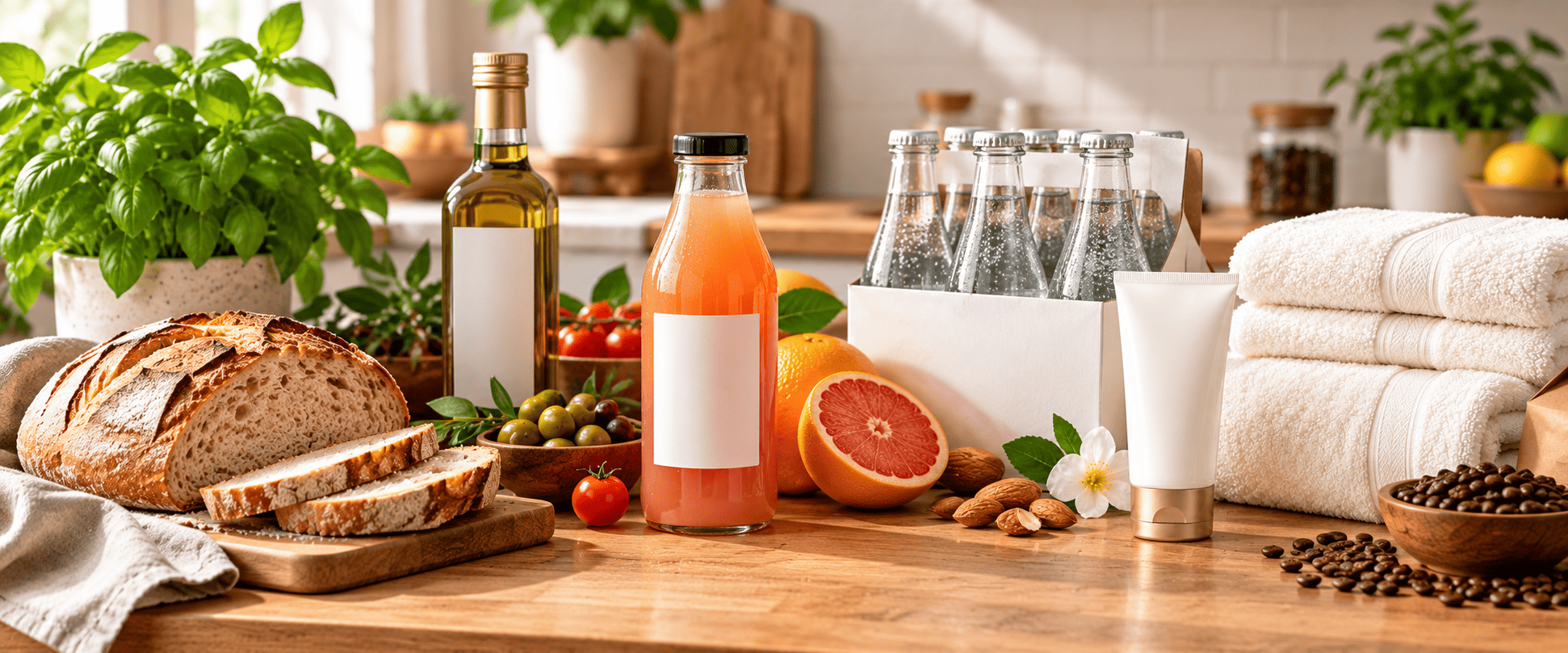
A grocery-style shop for pantry, beverages, household, and personal care. It shows that the same commerce engine can support a completely different product type and browsing rhythm.
What A Shopper Can Do
From any storefront, a visitor can move through a complete shopping journey.
- Browse the home page, category tiles, deals, new arrivals, and best sellers.
- Search products with live suggestions in the navigation search box.
- Open a product page, choose variants such as size and colour, and review specifications.
- Add items to a cart drawer without leaving the page.
- Save products to a wishlist or compare list.
- Apply a sample coupon and complete a simulated checkout.
- View the resulting demonstration order confirmation.
- Ask the storefront AI assistant about products in natural language.
- Read store news posts under the News section.
Useful shopper links for Fashion:
Product Detail And Variants
Product pages are not static cards. Many items include variants with their own stock counts and optional price overrides. Selecting size or colour updates the available stock message and the variant submitted with the cart form.
Images on product cards and galleries use a shimmer skeleton while they load. That keeps the layout calm on slower connections instead of flashing empty boxes.
Try a product with options here: open the Fashion shop, then choose any item with size and colour buttons.
Cart, Checkout, And Demo Safety
Checkout is intentionally simulated. The application can create order records so the admin dashboard has real data to analyse, but it never charges a card.
Cart item
   |
   v
Price re-read from database
   |
   v
Coupon / stock checks
   |
   v
Demo order created
   |
   +-- is_demo = true
   +-- payment_status = not_processed
   |
   v
Order confirmation page
Safeguards matter in a public portfolio demo:
- Card fields are rejected even if someone tries to force them.
- Payment gateways cannot be turned on by flipping a casual environment flag.
- Prices are re-validated from the database during cart and checkout updates.
- Store policies keep catalogues and orders scoped to the active store.
- Demo reset requires an authenticated administrator and the exact confirmation phrase
RESET DEMONSTRATION.
Sample coupon codes
Fashion: ATELIER10
Electronics: VOLT5
Home: HABITA
Market: BASKET10
The Admin Dashboard
The admin area is where the project becomes a commerce operations tool instead of only a pretty shop.
https://tanuisila.dev/commerce/admin
Demonstration admin account
Email:    admin@tanuicommerce.test
Password: password
From admin you can manage:
- Stores and branding settings
- Products, categories, brands, and inventory movements
- Orders and customers
- Coupons and reviews
- News / blog posts per store
- Analytics with charts and a Kenya county map
- PDF master reports
- An AI operations assistant
- AI field suggestions on create and edit forms
Direct admin destinations:
Analytics And The Kenya Map
Analytics is one of the strongest portfolio signals in the project. Instead of only showing a revenue number, the admin analytics page combines period metrics, charts, product performance, and a Kenya county choropleth map for order origin storytelling.
The map is built with Leaflet. Counties with more demonstration order activity appear stronger on the choropleth. That gives the dashboard a geographic narrative that matches a Kenya-based portfolio context.
Open it after signing in: Admin analytics
Tip for screenshots: After login, capture the analytics page, the products index, and one PDF report export. Those three images usually explain the admin side of the project better than any paragraph alone.
PDF Reports
The reports module assembles period data for products, customers, and commercial activity, then renders a printable PDF with DomPDF. Charts are prepared for the report layout so the export feels like a management pack rather than a raw data dump.
Try it here: Admin reports
AI On The Storefront
Each storefront includes an AI shopping assistant. It is not a free-floating chatbot that invents stock. It is built as a retrieval-augmented flow over product knowledge for the active store.
Shopper question
        |
        v
   Text sanitizer
        |
        v
   Embedding + vector search
        |
        v
 Relevant products / facts
        |
        v
 Question + retrieved context
        |
        v
     OpenAI completion
        |
        v
 Answer + product cards + sources
Under the hood, product text is indexed into a vector store. The default driver can use database-backed vectors. A Qdrant driver is also available when a dedicated vector database is configured. The assistant returns an answer, related products, and source scores so the response stays tied to catalogue data.
Open any storefront and use the assistant panel in the corner. Start with Fashion: tanuisila.dev/commerce/store/fashion
AI In The Admin
Admin AI has two jobs.
1. Operations assistant
The admin assistant answers questions about sales, conversion, inventory risk, and next actions. It can return structured tables and chart-friendly summaries so the conversation feels operational rather than chatty.
2. Form content assist
On create and edit screens for products, categories, brands, coupons, posts, and settings, AI can suggest field values. That makes content entry faster during a live demonstration and shows a practical admin productivity use case.
News And Content Pages
Each store can publish news posts. The admin manages titles, excerpts, bodies, covers, and publish state. The storefront lists posts and opens individual articles. Help pages for FAQ, shipping, returns, and gift cards round out the content layer.
Example: Fashion news
Technology Stack
Backend: Laravel 12, PHP 8.2+, MySQL
Frontend: Blade, Bootstrap 5, custom CSS themes, Lucide icons
Charts and maps: Chart.js, Leaflet choropleth
PDF: barryvdh/laravel-dompdf
AI: OpenAI API, embeddings, vector search, storefront RAG chatbot, admin assistants
Hosting shape: Local XAMPP for development, cPanel subdirectory deploy at tanuisila.dev/commerce
Source repository: github.com/silatanui/tanui-commerce
How The Code Is Organised
A short map of the important folders helps anyone reading the repository.
app/
  Http/Controllers/Admin/...
  Http/Controllers/Storefront/...
  Models/...
  Services/
    Ai/                 RAG chatbot, OpenAI client, vector stores
    Admin/              Admin assistant + form AI
    Reports/            PDF assembly and chart rendering
    AnalyticsService.php
    CartService.php
    CheckoutService.php

routes/
  web.php               Platform pages
  storefront.php        /store/{store}/...
  admin.php             /admin/...
  demo.php              Demo reset

resources/views/
  storefront/...
  admin/...
  components/...

public/css/
  storefront.css
  themes/fashion.css
  themes/electronics.css
  themes/home.css
  themes/market.css
  admin.css
Services keep controllers thinner. Controllers decide what to show. Services own cart rules, checkout safety, analytics aggregation, report building, and AI retrieval.
Local Setup In Brief
The project is intended to run under XAMPP locally.
- Create a MySQL database such as
tanui_commerce. - Copy
.env.exampleto.envand set the database connection. - Install Composer dependencies.
- Run
php artisan key:generate. - Run
php artisan migrate --seed. - Run
php artisan storage:link. - Open the local public URL or use
php artisan serve.
Sample customer accounts
amina@example.test / password
david@example.test / password
Deploying Under /commerce
The public demo lives at a subdirectory URL on my domain. The application code sits outside the web root, and the public folder is linked into public_html/commerce.
That setup needs careful APP_URL configuration and cache hygiene. Laravel route caching can break the homepage of a subdirectory install. Clearing route and config caches, forcing the root URL, and keeping rewrite rules aligned with /commerce were part of making the hosted demo reliable.
Live URL: https://tanuisila.dev/commerce/
A Suggested Demo Path
If you only have ten minutes, follow this path:
- Open the project hub and compare the four store cards.
- Enter Fashion, browse a category, and open one product with variants.
- Add the product to cart, apply ATELIER10, and walk through simulated checkout.
- Ask the storefront AI assistant a product question.
- Switch to Electronics to see a different brand system on the same engine.
- Sign in to admin, open analytics, then generate or preview a report.
- Ask the admin assistant one inventory or sales question.
"One Laravel app. Four storefront brands. One admin brain. Simulated commerce with real product thinking."
What This Project Shows About Me
Tanui Commerce is meant to communicate more than framework familiarity.
- I can design a multi-store domain model and keep data correctly scoped.
- I can build shopper journeys that feel complete: search, variants, cart, checkout, account, content.
- I can build operator tools: inventory, orders, analytics, reports, and settings.
- I can integrate AI in a grounded way with retrieval, not only as a generic chat widget.
- I can ship a public demo carefully, with demo-mode safeguards and clear labelling.
- I care about interface detail: theming, merchandising pages, skeletons, and readable admin UI.
Conclusion
Tanui Commerce started as a question: what would a portfolio e-commerce project look like if it behaved more like a small multi-brand platform than a single template shop?
The answer became four storefronts, a serious admin layer, Kenya-aware analytics, PDF reporting, and AI assistants that read the catalogue instead of inventing it. The live demo is public so people can click through the same paths I would walk in an interview or client conversation.
If you want to explore it now, start here:
https://tanuisila.dev/commerce/
https://github.com/silatanui/tanui-commerce
Leave a comment
Email stays private. Name and email are optional.